Product
Everything between a PDF and a signed record.
Put your documents in one envelope and mark where each person signs. Signers open a private link on any device, and when everyone has signed you receive the signed PDF with its certificate of completion.
One envelope, every document
Put an agreement and its schedules in one envelope and send them together. Word files, images and scans are converted to PDF on upload and handled like any other PDF.
Place fields where they belong
Drag signature, initials, text, date, time and checkbox fields onto the page and assign each one to a signer. A full name field fills in from the signer's name, and strikethrough crosses out text on the page.
On a computer you get undo and redo, copy and paste, and keyboard shortcuts. The phone editor has buttons for undo, redo, copy and paste.
Recipients, order and deadlines
Send to one signer or several, in a set order or all at the same time. Copy recipients receive the signed documents when the envelope completes and never sign.
Set a deadline and choose how often VG·Sign reminds whoever still has to sign. Reminders stop when they sign or the deadline passes.
Signing needs a browser, not an account
Signers open their private link and sign in the browser, on a phone or a computer, with no account and no app to install. If you add a signer's mobile number, they enter a one-time code sent by SMS before the document opens.
A signer can decline and give a reason, and you get it by email straight away.
A record you can check
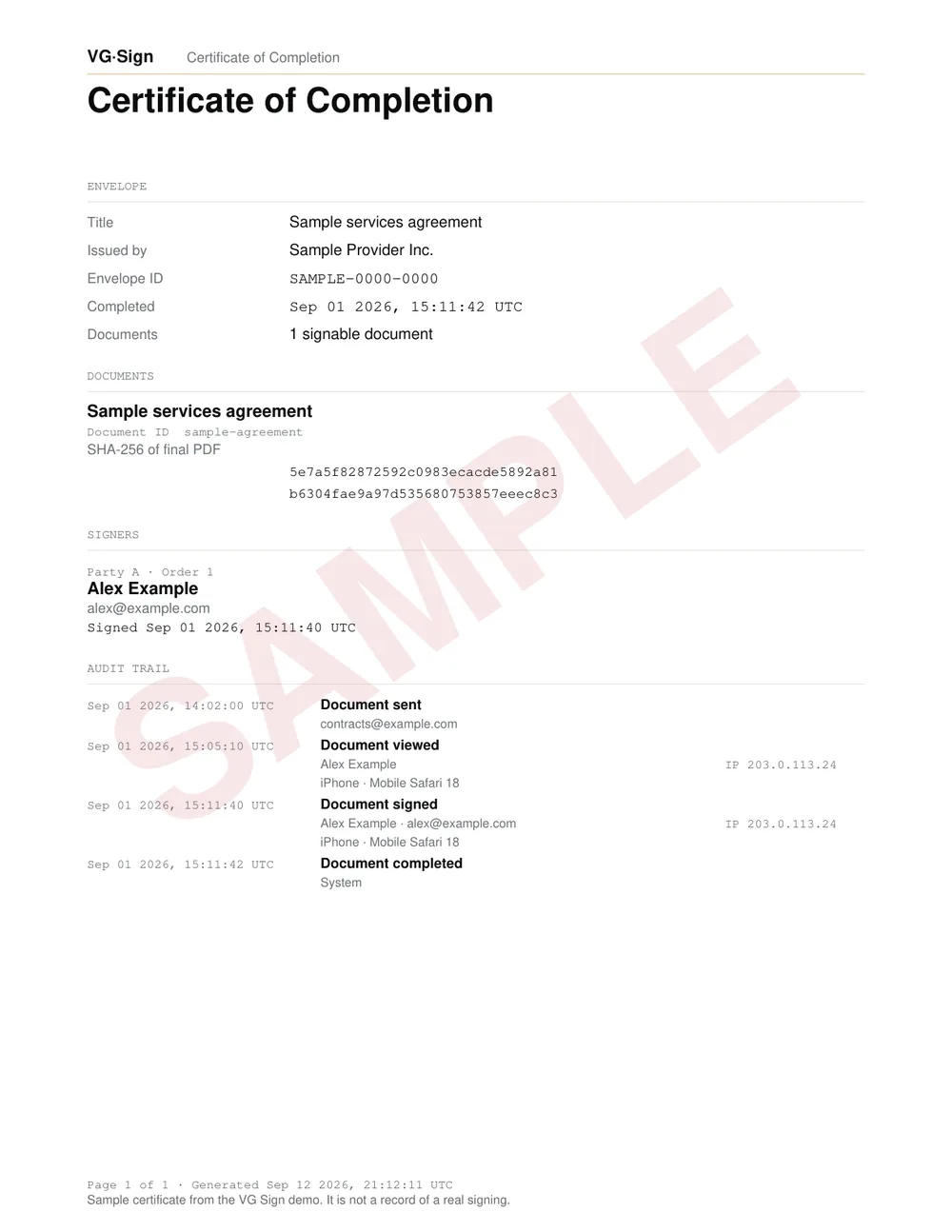
Each view, signature, decline and void is logged with its time, IP address and device in an append-only audit trail.
When the envelope completes, its certificate of completion lists the SHA-256 fingerprint of each final PDF, so anyone holding the file can hash it and compare.
Every envelope, in one place
Inbox, Sent, Drafts and Templates each have their own page in the dashboard. Save a document with its fields as a template and bulk send it to a list of people from a CSV file.
Built for teams
On Team and Enterprise, invite your people and decide who runs the workspace.
Owner and member roles
Owners manage billing, branding and people. Members send.
Required two-factor
An owner can require an authenticator app for everyone who does not sign in through single sign-on.
SAML single sign-on
Enterprise workspaces sign in through their own identity provider.
Connected to the rest of your tools
Envelope events reach Slack, Microsoft Teams or any webhook, and the REST API and the MCP server cover the rest.
Slack and Teams
A channel message when an envelope is sent, signed, completed or declined.
Webhooks
Nineteen envelope events, signed with HMAC-SHA256.
REST API and MCP
On Pro, Team and Enterprise, create, send and track envelopes from your own code. The MCP server lets Claude or Cursor start one from a template and send it.
Send your first envelope free.
Start on Free and upgrade to Pro when you need more.